Focused Android companion for Hoco smartwatches with reliable pairing
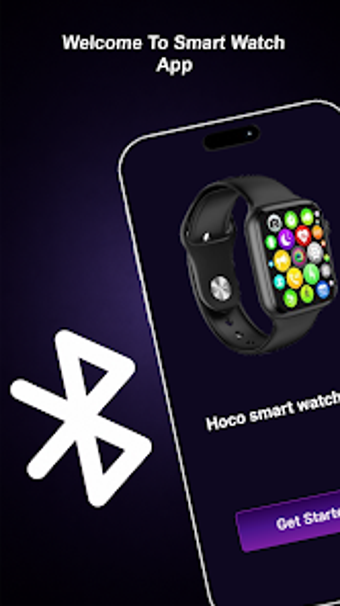
Experience a focused connectivity companion: Hoco Smart Watch App from Oreoniq Studios is designed to pair and manage Hoco smartwatches via Android phones. It handles fast Bluetooth pairing, stable synchronization of health and notification data, and a simplified setup flow that reduces initial configuration time. The app is lightweight, supports multiple languages, and prioritizes dependable device recognition for owners who need a straightforward wearable management tool.
Independent companion design targets Hoco watches, not generic wearables
As an independent utility the app presents a single-purpose alternative to multi-brand sync tools, concentrating on compatible Hoco models. The tool implements rapid device discovery and reliable recognition of supported wearables, which speeds initial connection. Focused scope trades breadth for a consistent pairing workflow, making it easier for owners who prefer a dedicated pairing experience rather than a catch-all device manager.
Maintains stable connections with a lightweight system footprint
The architecture emphasizes a dependable link for everyday wearable use while keeping resource demands modest. The app’s lightweight design is optimized for responsive performance across Android devices, so it avoids heavy background load during active syncs. In addition, user reception notes the app often maintains connections where some generic tools lose pairing, giving a practical advantage for routine synchronization tasks.
Simplified setup and minimal configuration suit non-technical owners
Setup is offered as a clean, guided flow that reduces configuration steps and lowers entry friction. Multiple language support increases accessibility for a global user base, and the interface focuses on essential interactions over advanced customization. The developer builds similar synchronization utilities, so the tool is meant for owners who want straightforward setup and daily management without navigating technical options.
Practical single-vendor tool with a clear trade-off
The app is a practical option for Hoco owners who need dependable phone-to-watch connectivity and minimal setup overhead. The developer’s single-purpose approach suits users who prefer a simple pairing experience; the trade-off is limited multi-brand support and fewer advanced configuration options. Choose the app when focused, reliable connectivity for Hoco watches matters more than broad device management.